Bank Reconcilation Report
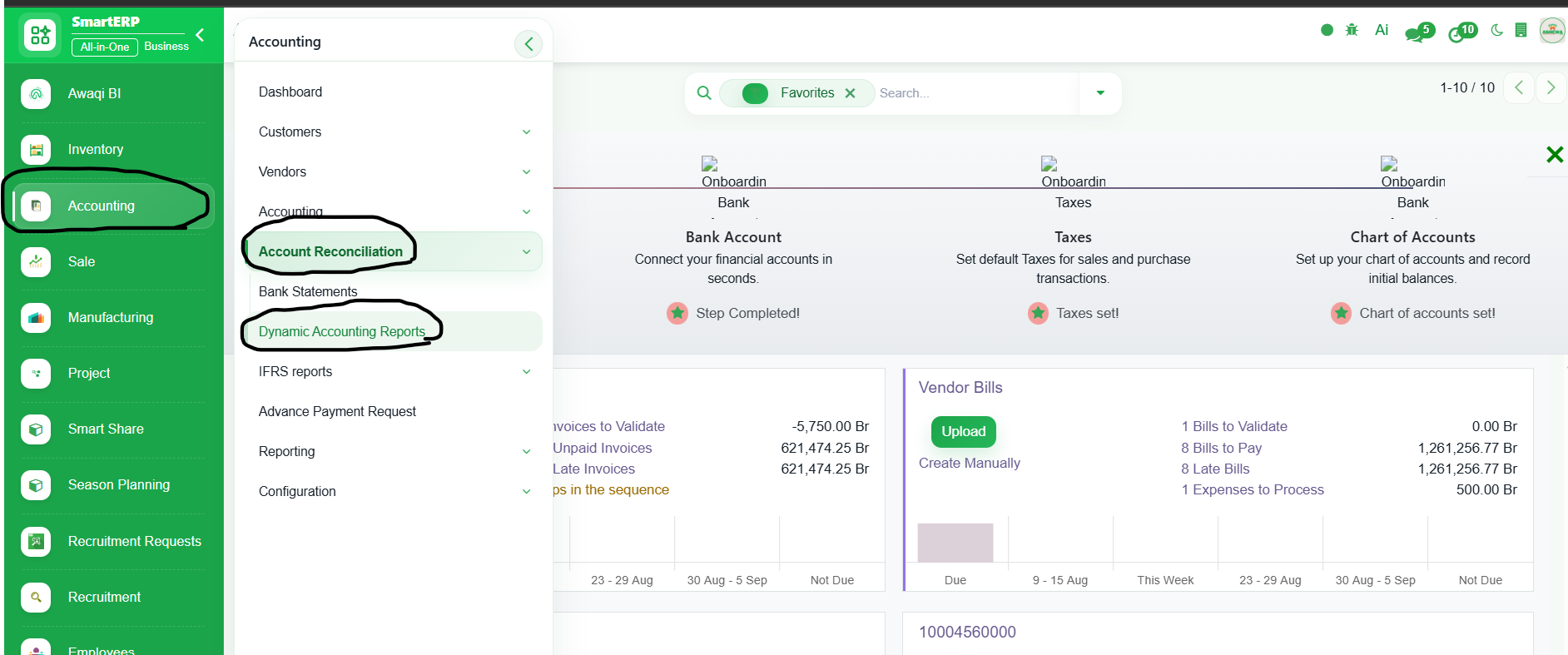
1. Go to Accounting
2. Click ‘Account Reconciliation’
3. Select ‘Dynamic Accounting Reports’
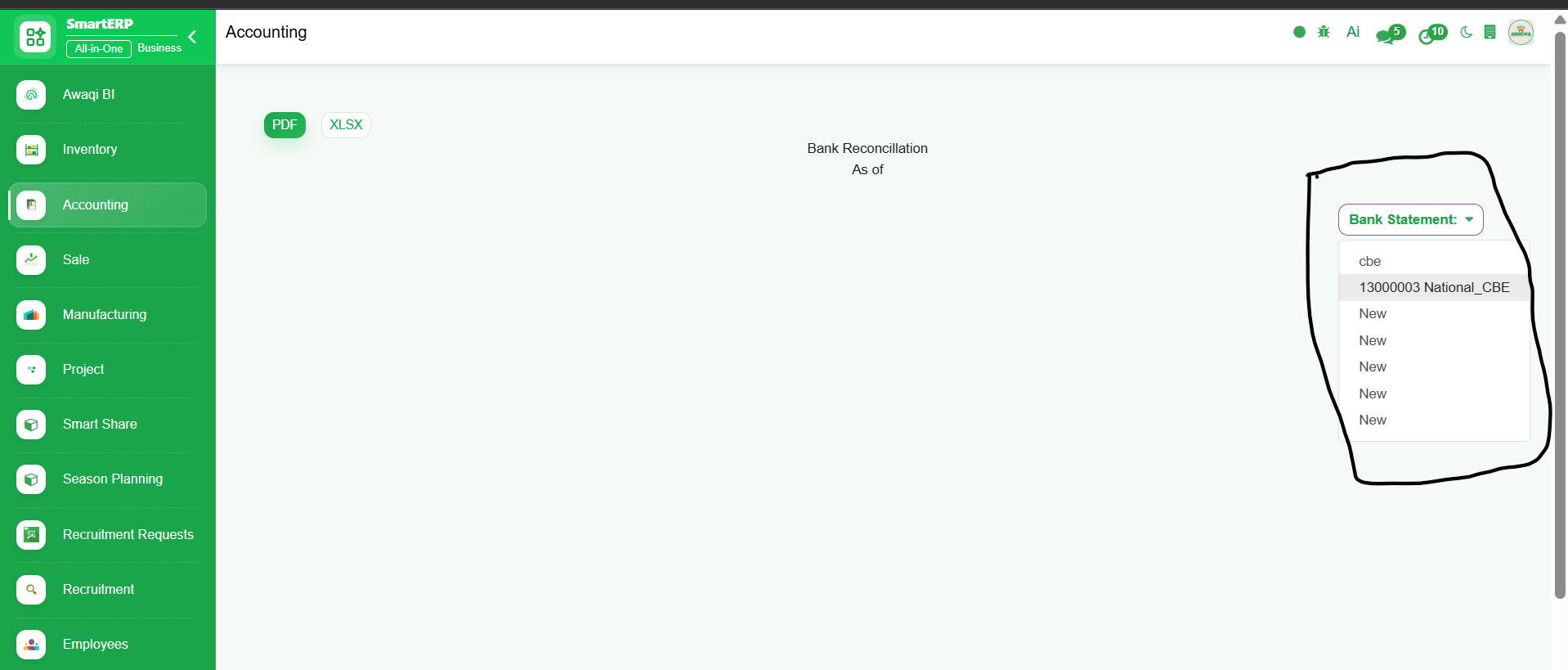
4. Click "Bank Statement" button and select the Bank you want to generate the bank reconcilation report
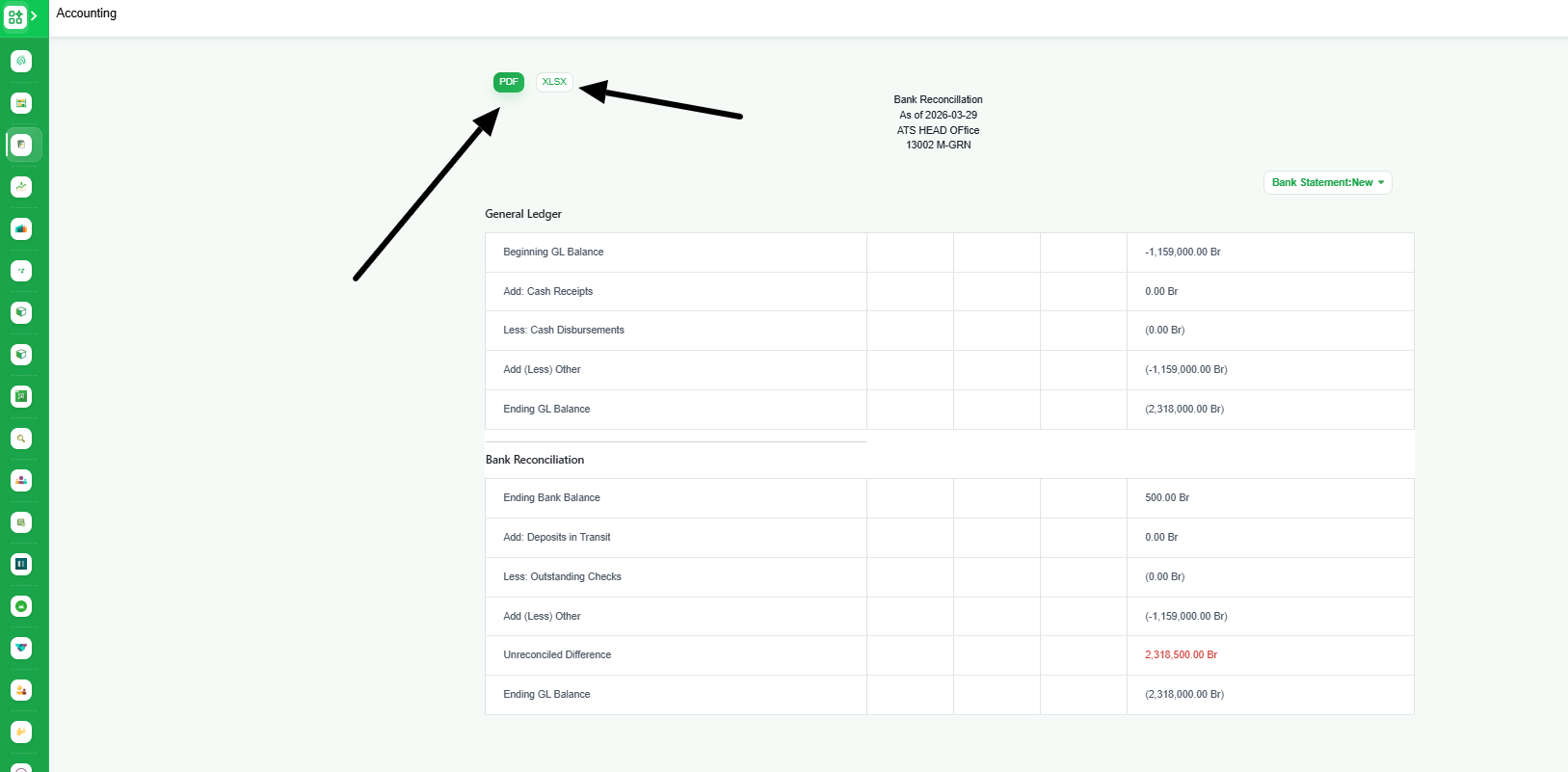
5. The report is generated. Click "PDF" or "XLSX" button to export the report in PDF or Excel format