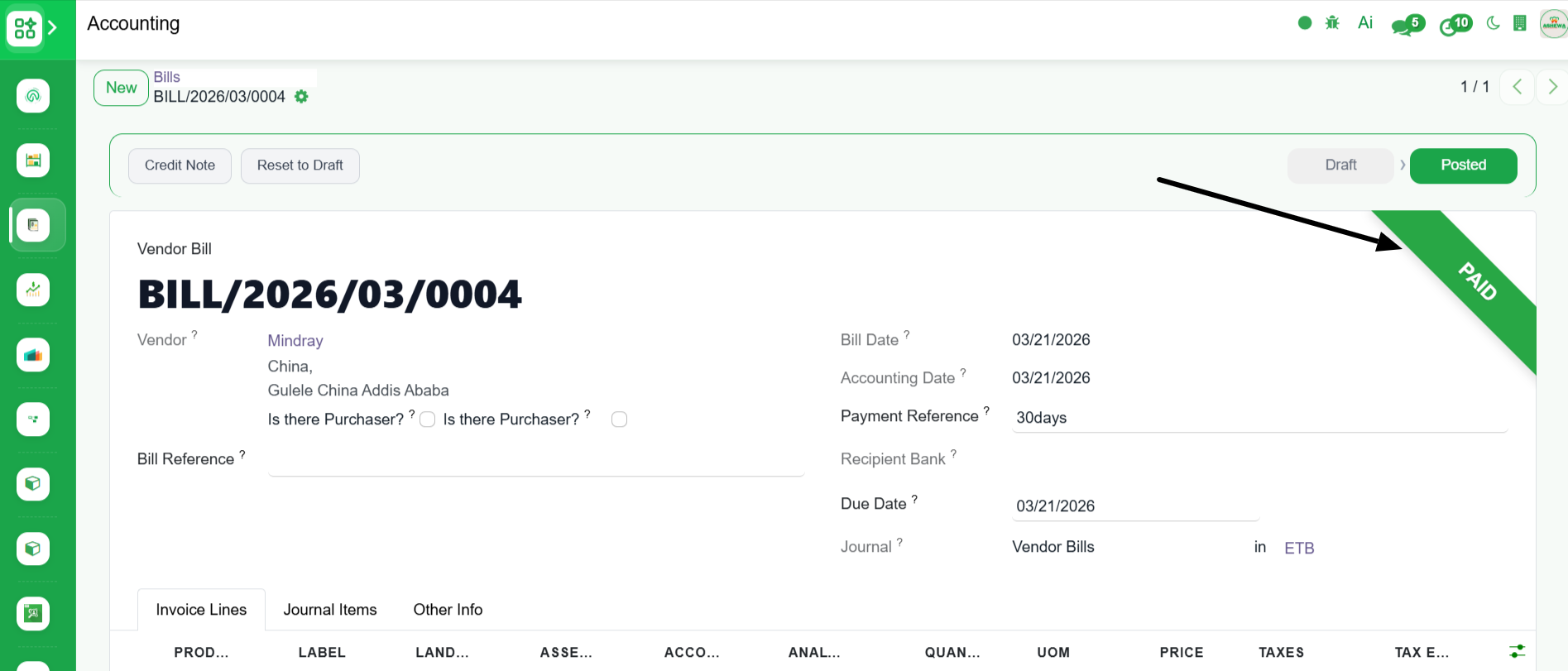
Post Vendor Bill
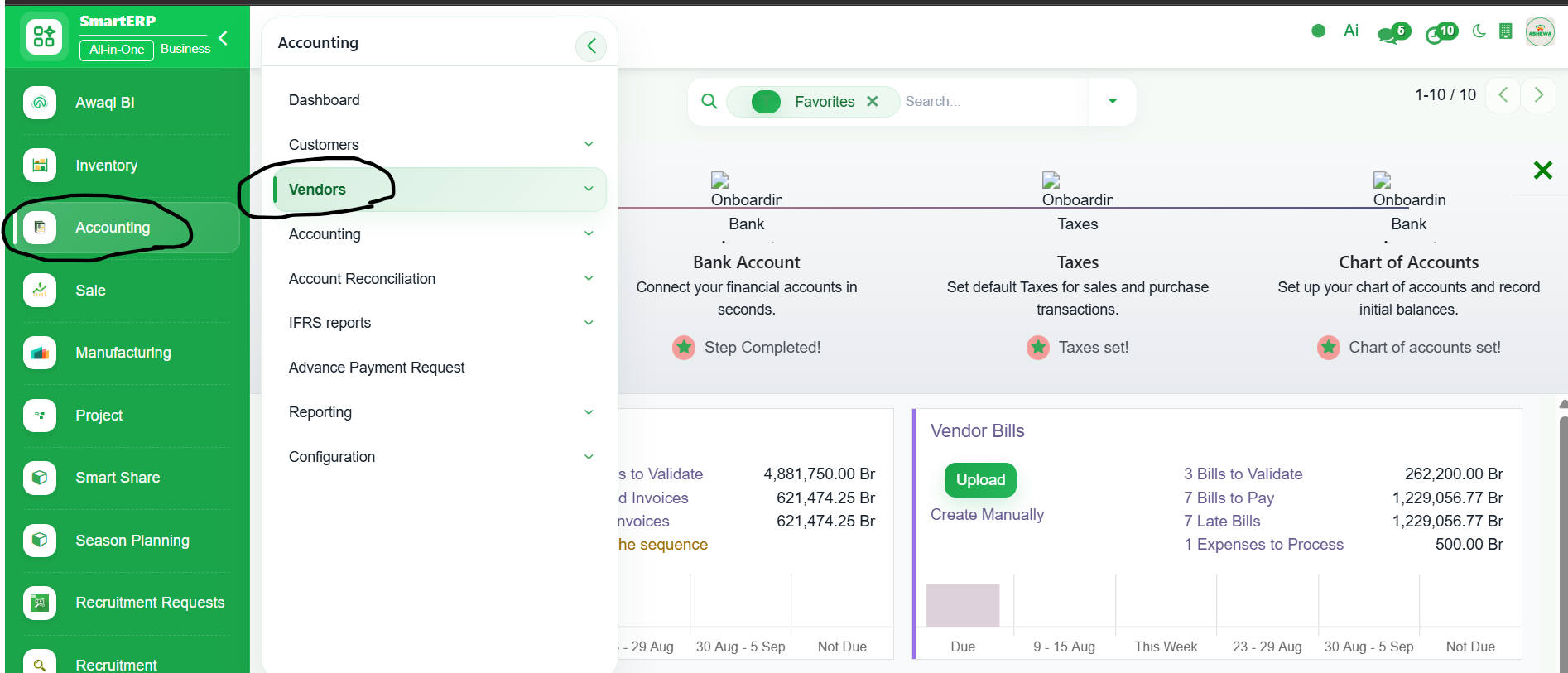
1. Go to Accounting
2. Click ‘Vendors’
3. Select ‘Bills’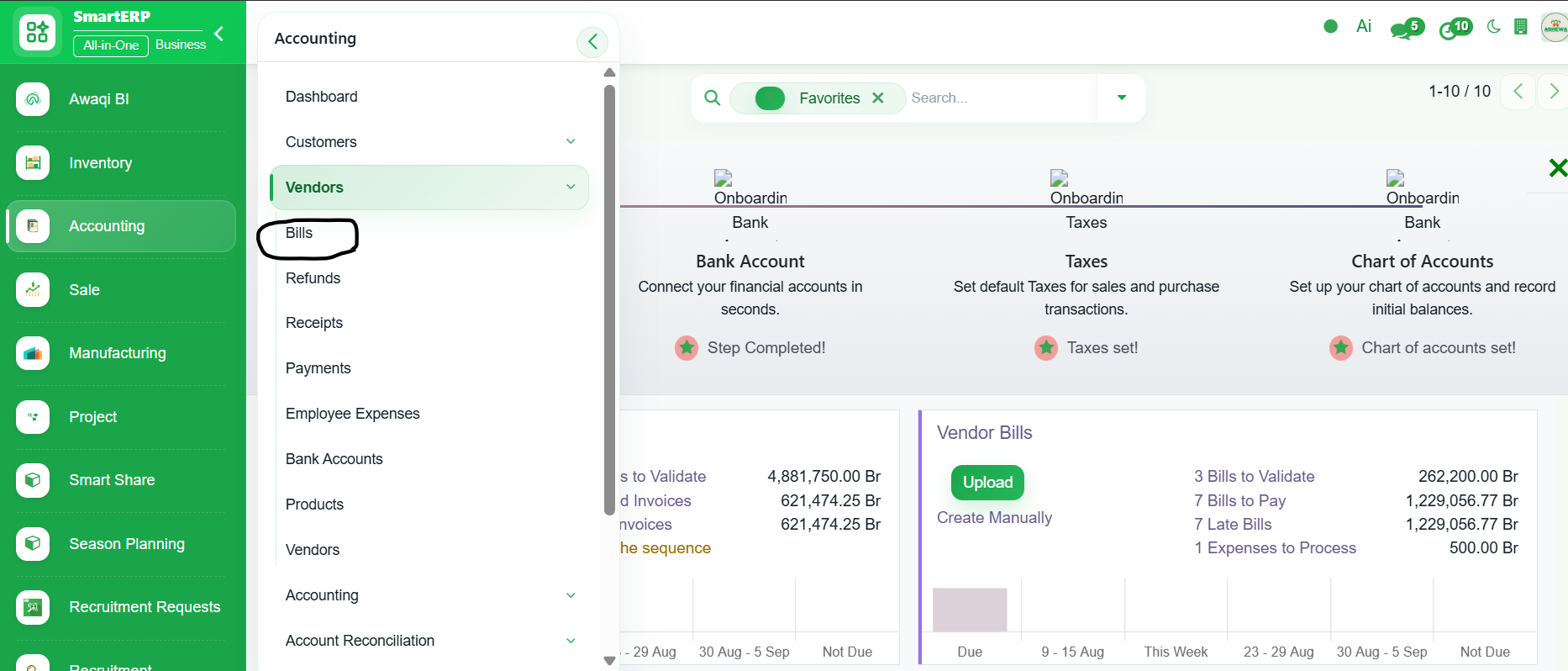
4. All vendor bill with their status are listed hear. Open a vendor bill from the list to confirm or post
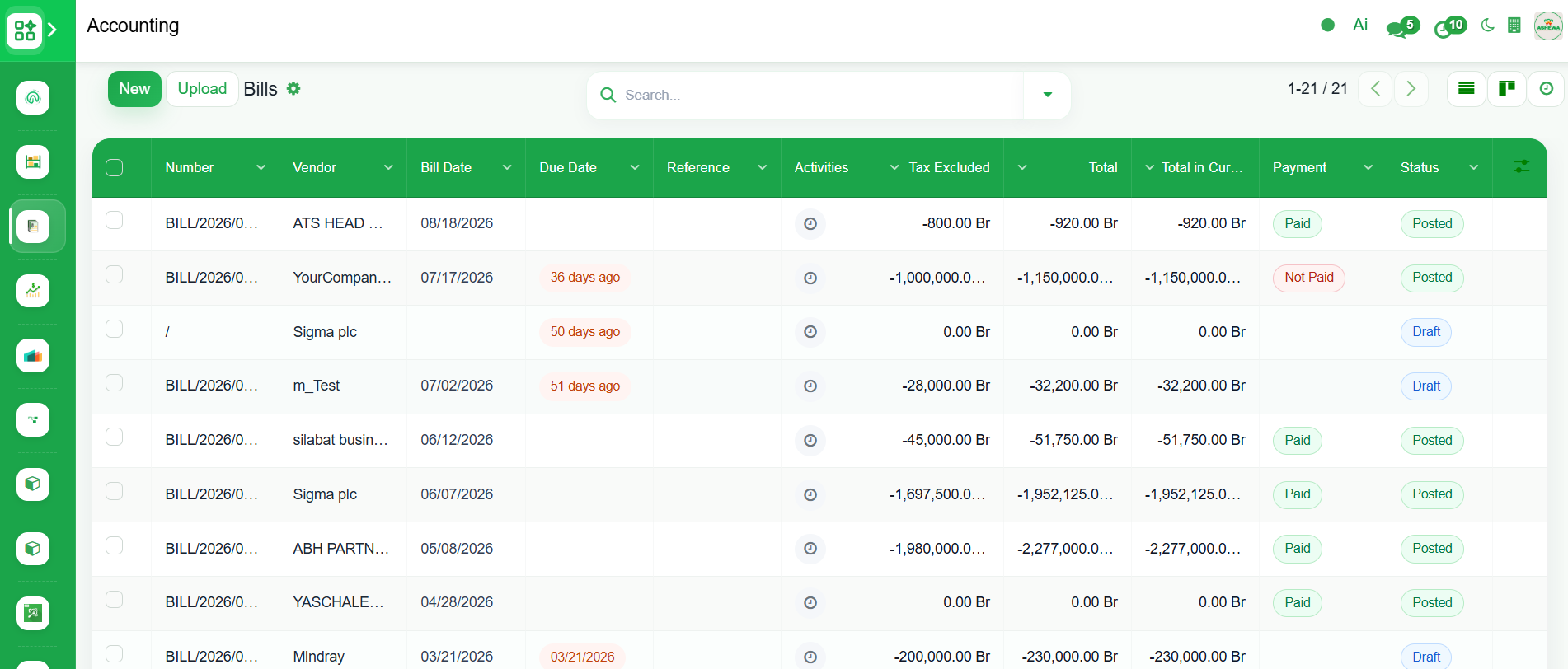
5. Enter the bill date and cross check the Vendor name, Invoice Lines
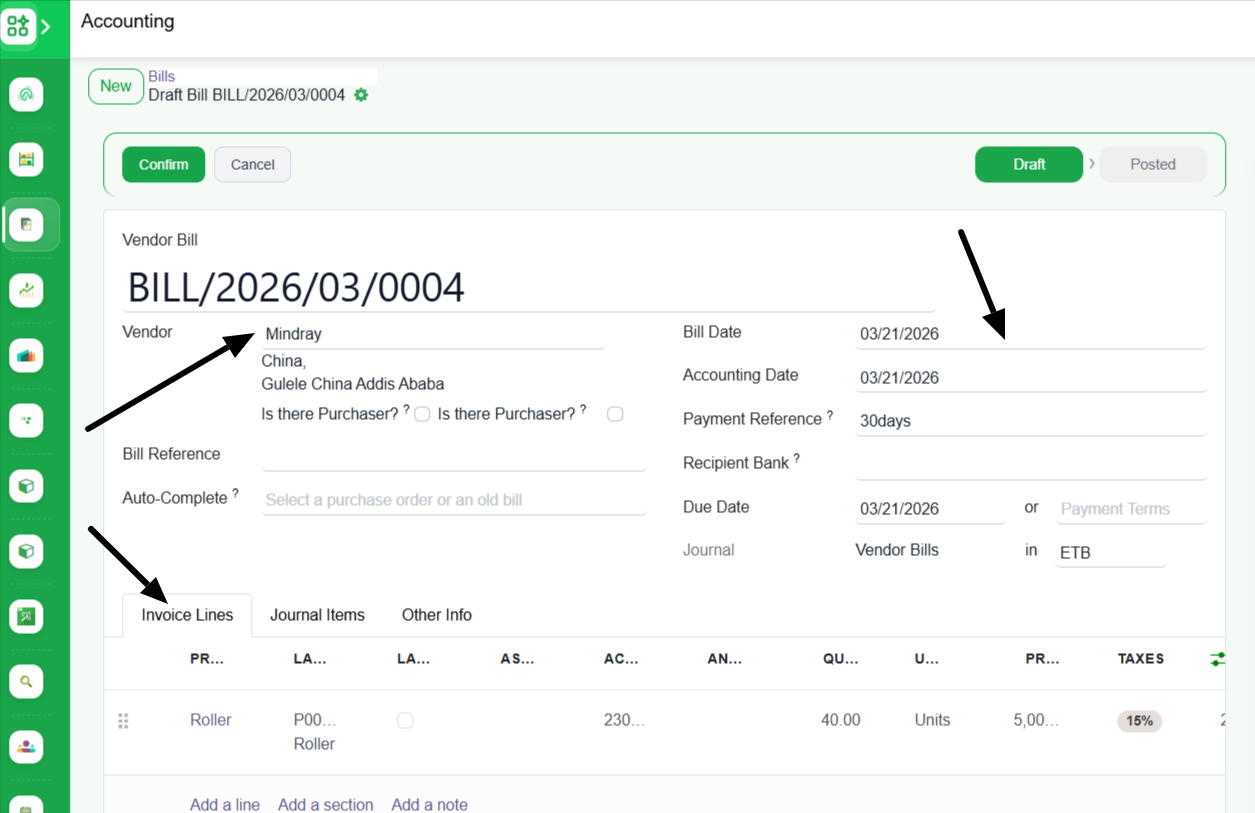
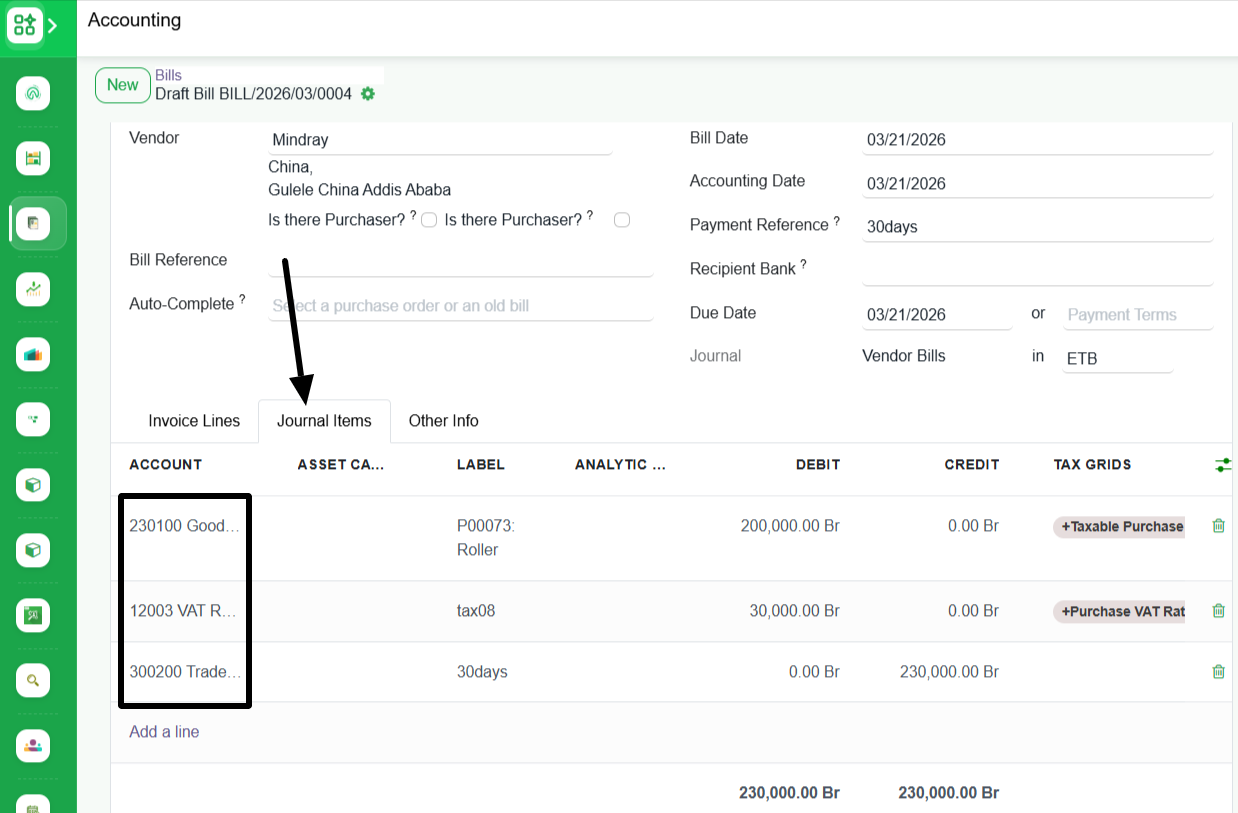
6. Cross check the correct Chart of Account is selected. If it is not correct click on it and select the correct Chart of Account
7. Click "Confirm" to post the vender bill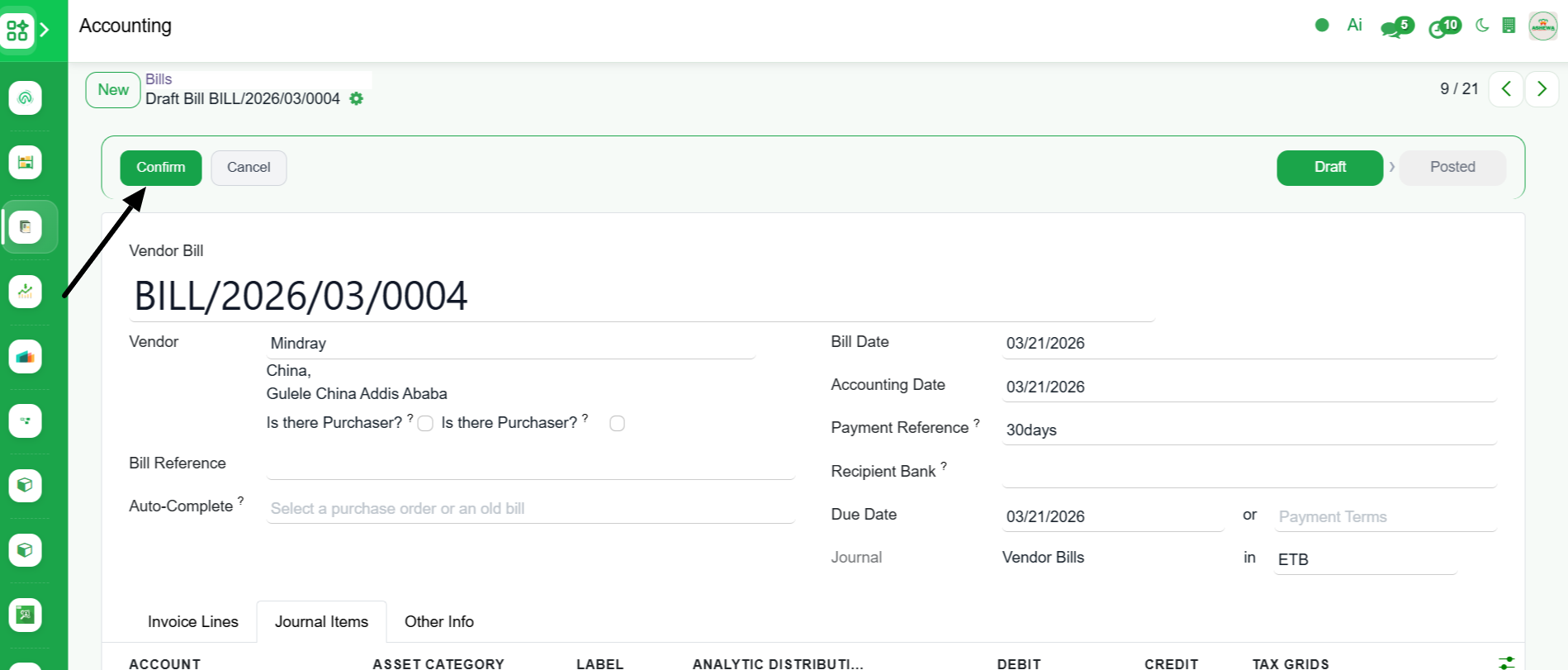
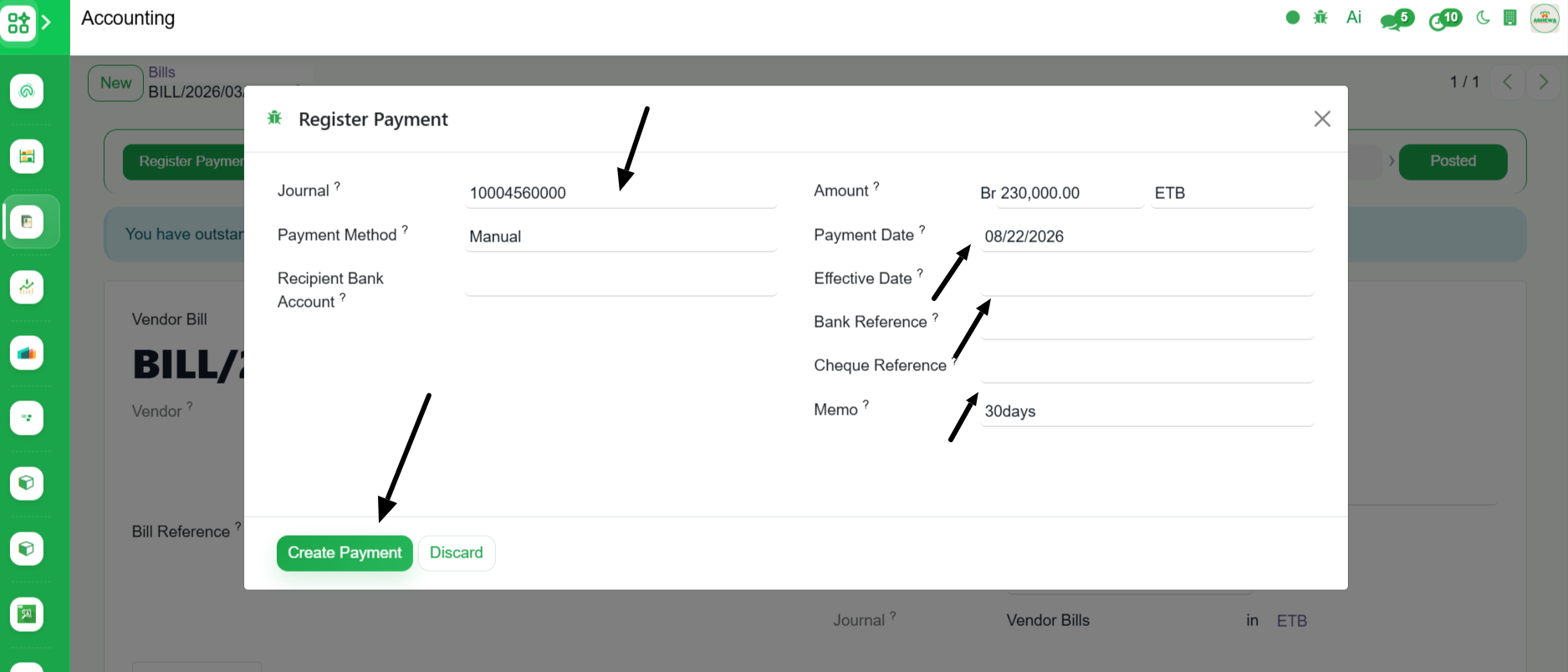
8. The vendor bill is posted. If it is Cash Purchase, Click "Register Payment" to register the payement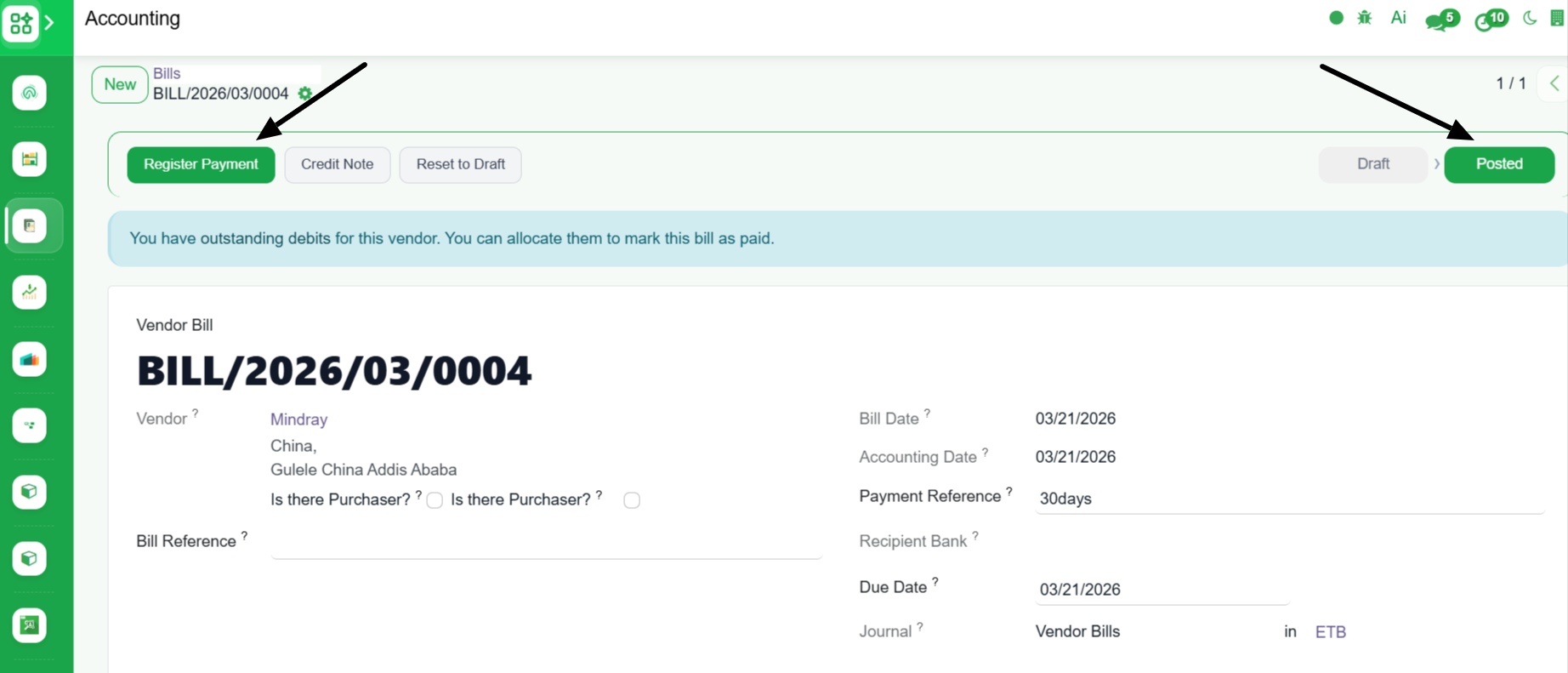
9. Select the Journal(Bank or Cash acount) from which the payment was made, Payment Date, Effective Date, Bank Reference, Cheque Reference and Click
10. The status is changed to "Paid"