JV
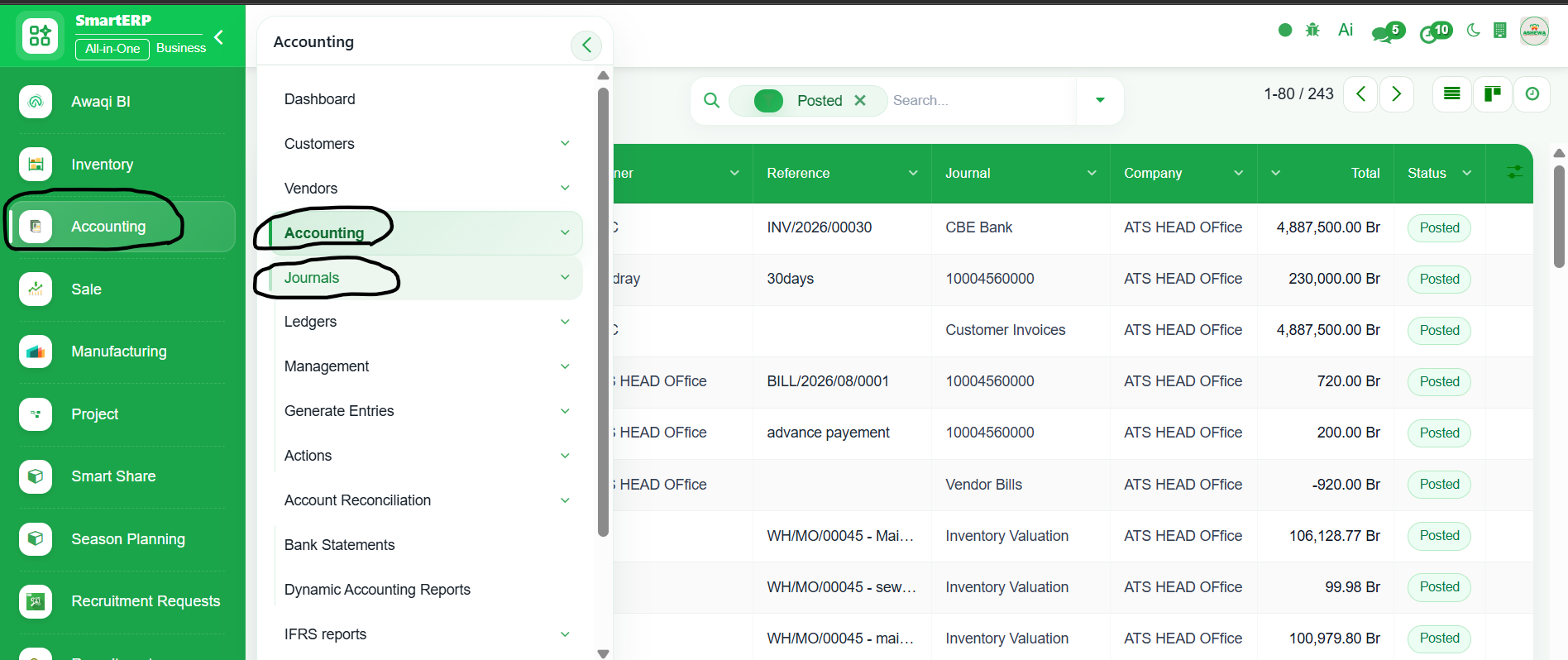
1. Go to Accounting
2. Click ‘Accounting’
3. Select ‘Journal’
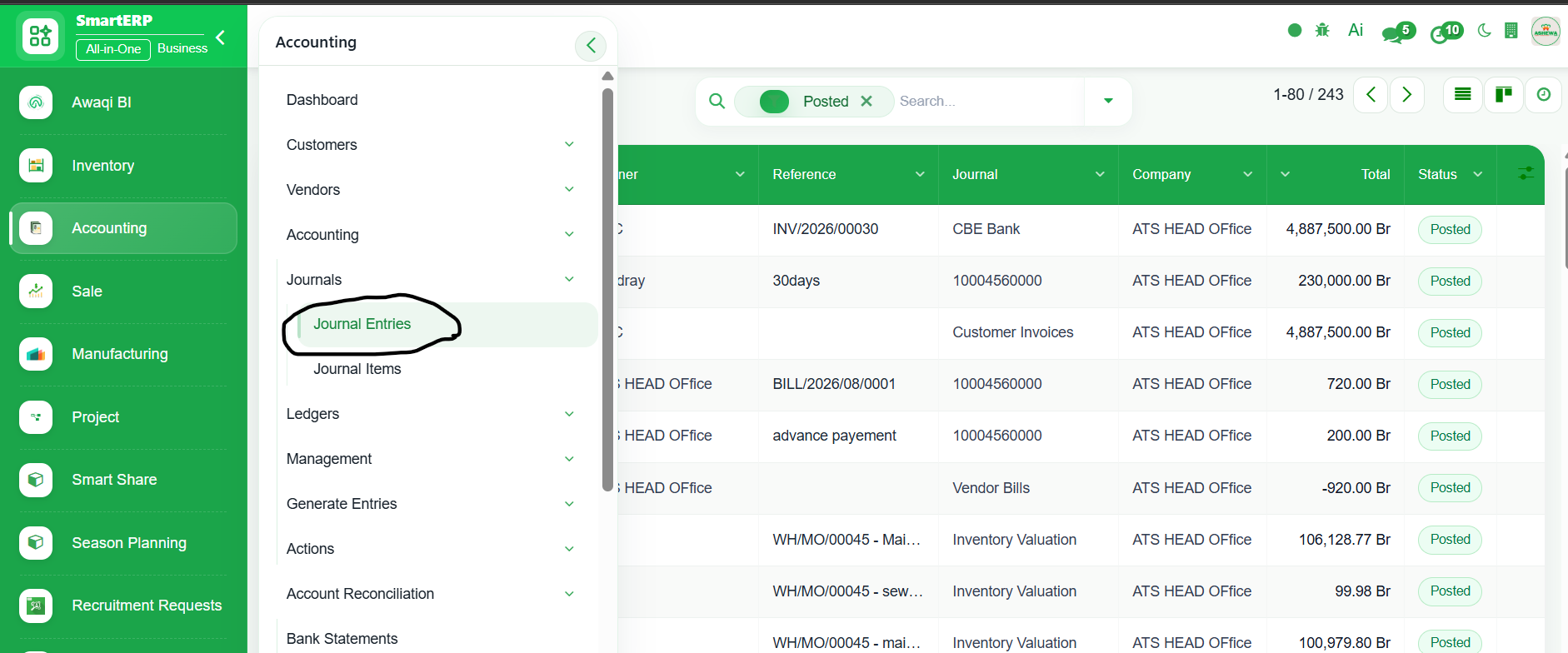
4. Click ‘Journal Entire’
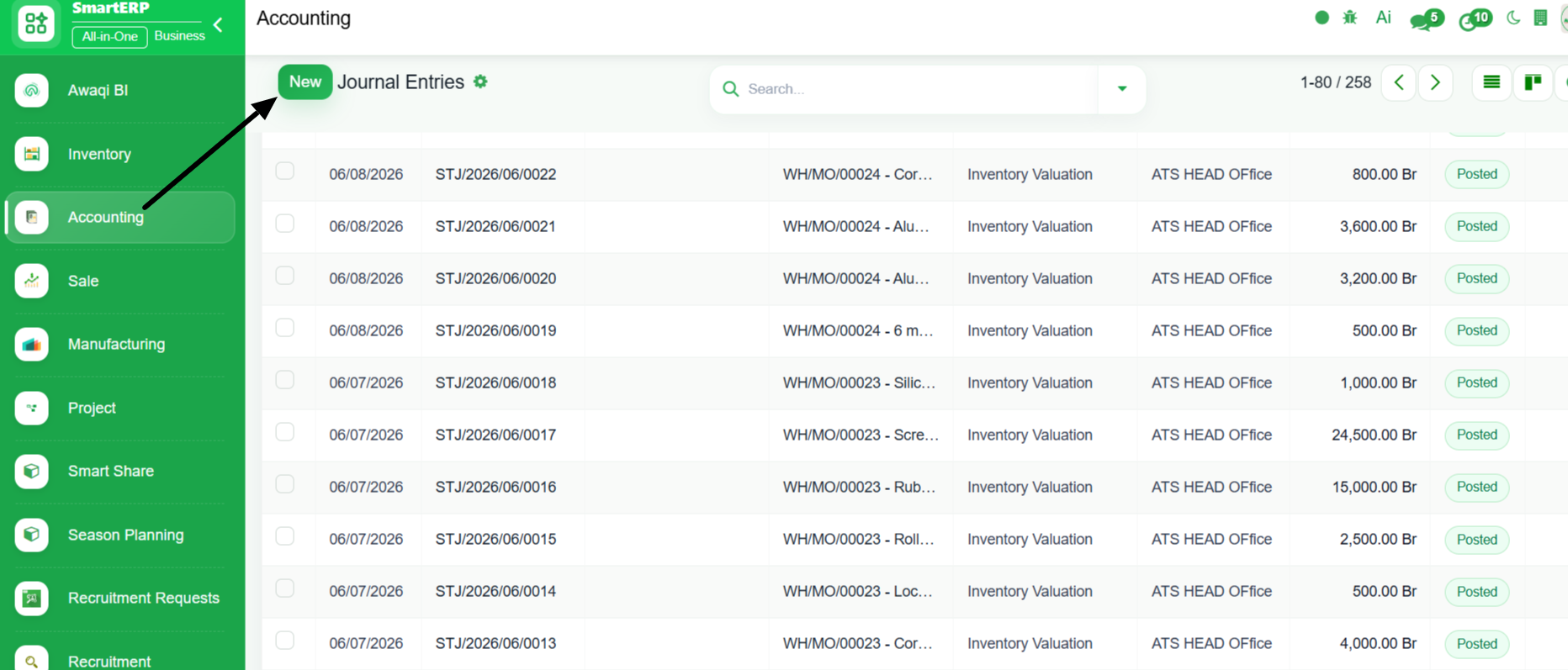
5. Click ‘New’
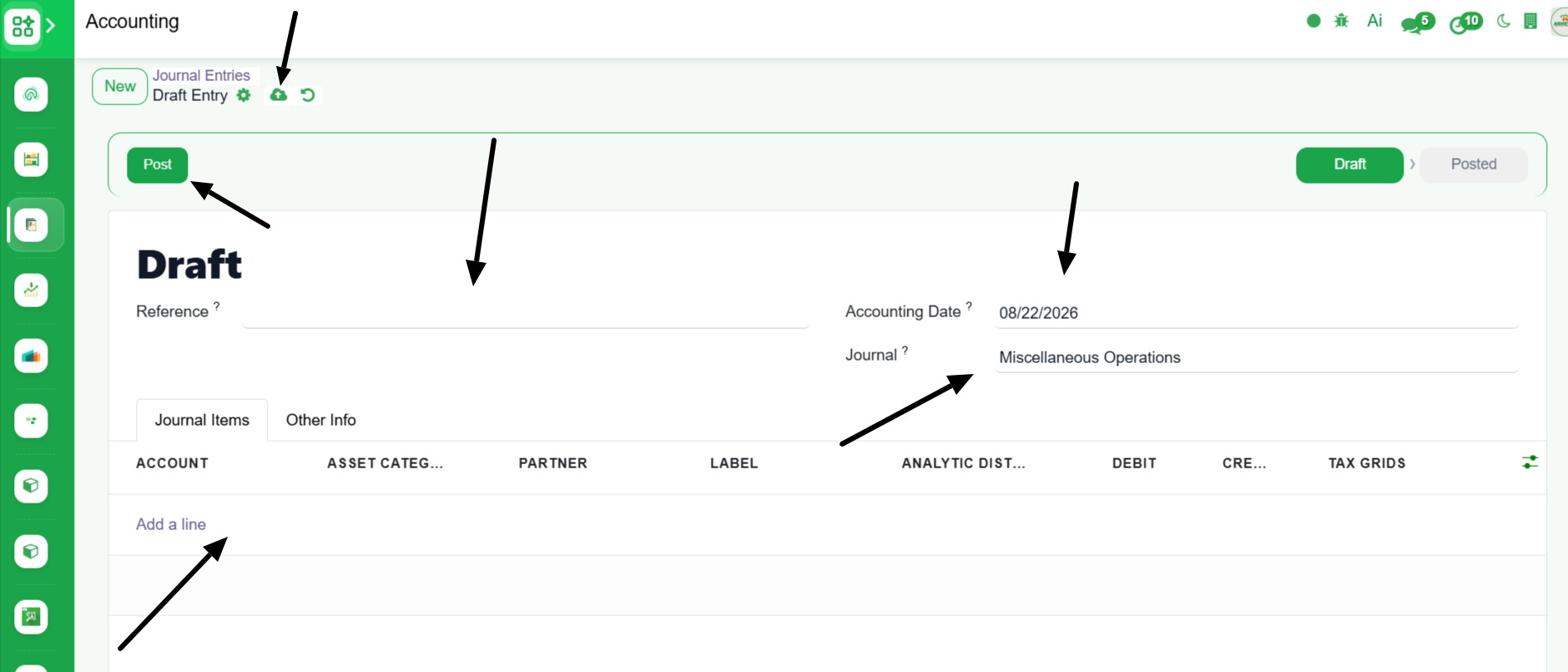
6. Enter Journal entire detail
7. ‘Save’ and ‘Post’
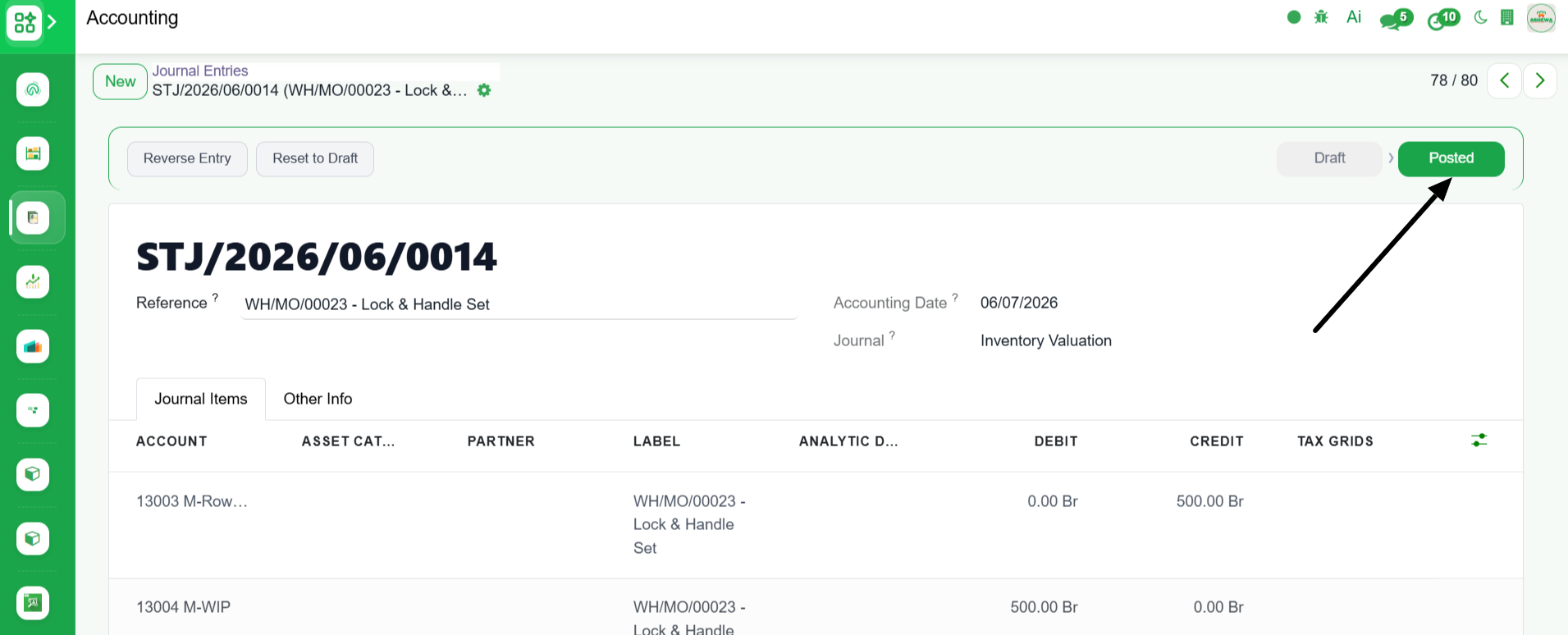
8. The entrie is "Posted" to the Ledger
JV
1. Go to Accounting
2. Click ‘Accounting’
3. Select ‘Journal’
4. Click ‘Journal Entire’
5. Click ‘New’
6. Enter Journal entire detail
7. ‘Save’ and ‘Post’
8. The entrie is "Posted" to the Ledger
Get guidance from our team for setup, training, troubleshooting, and business process support.