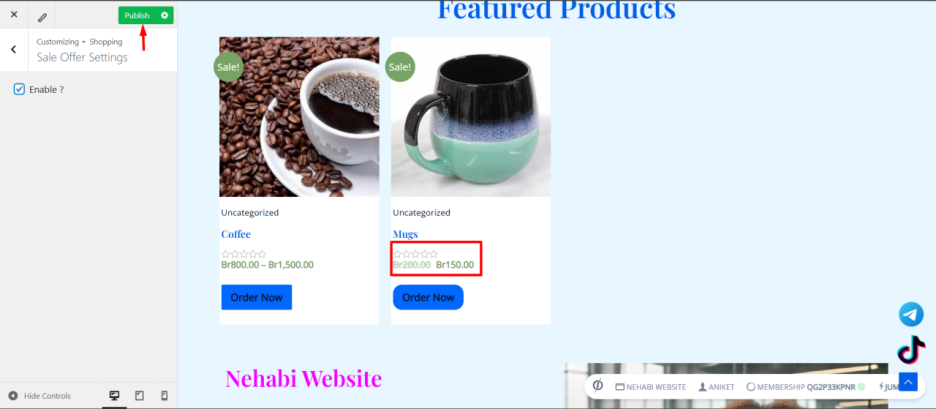
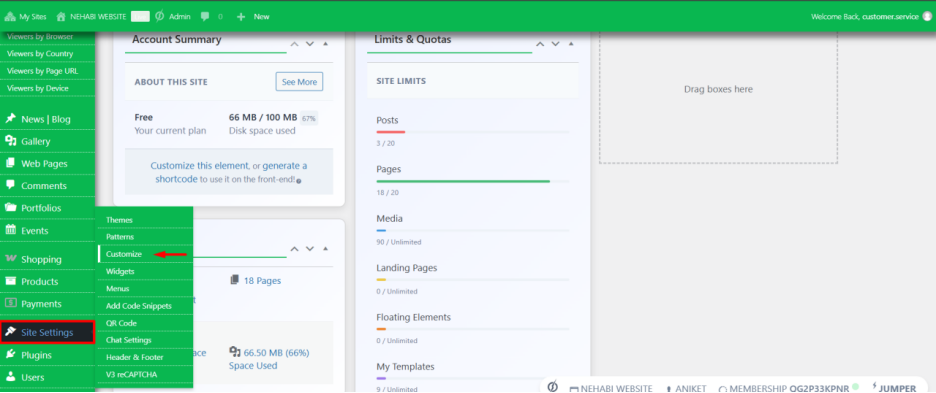
To enable the Off Sales setting, first navigate to Site Settings, then click on Customize.
Step 2
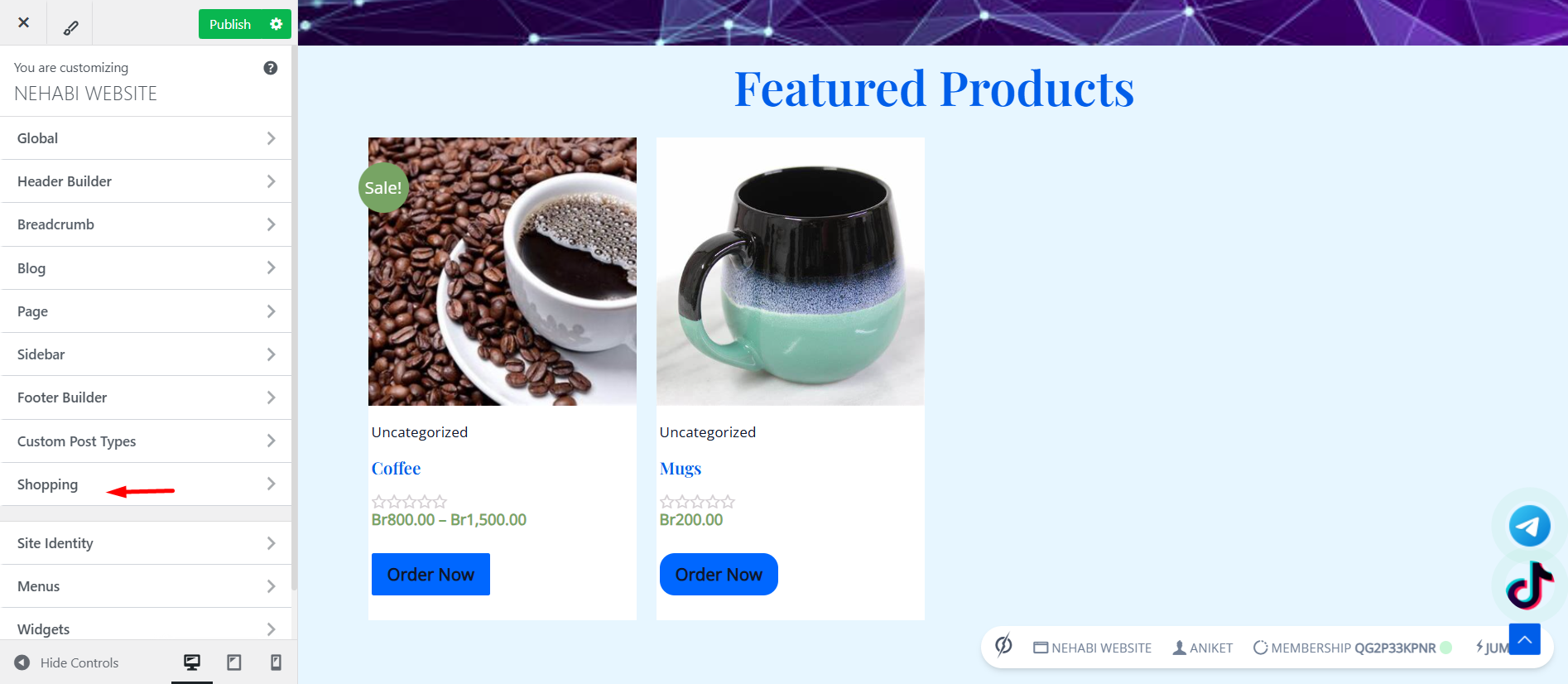
Click on Shopping to access the Sale Offer Settings.
Step 3
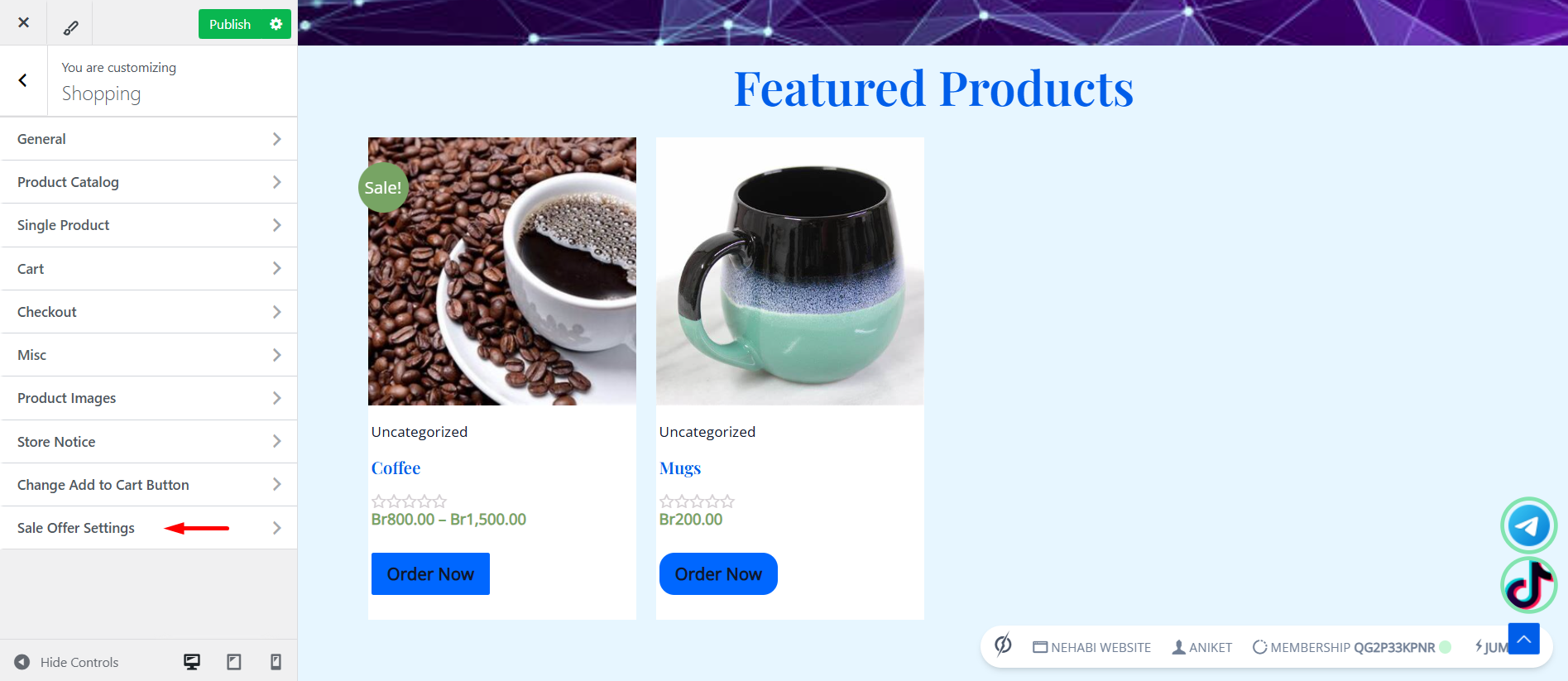
Navigate through the Sale Offer Settings to find the options for enabling and customizing sales offers.
Step 4
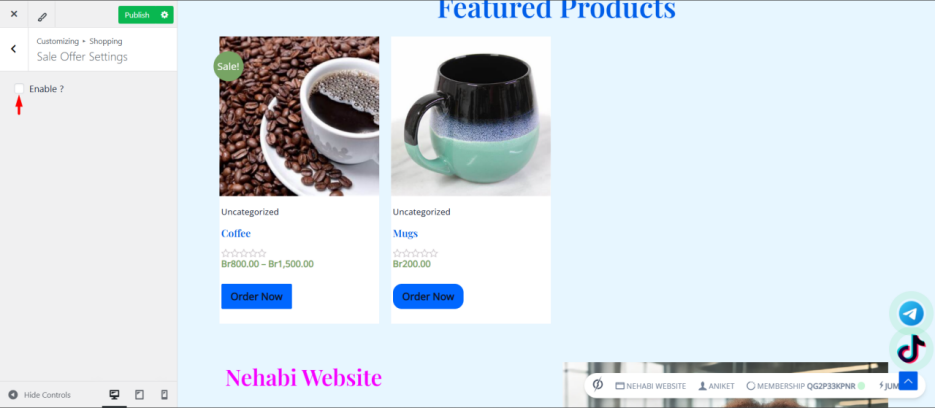
Enable the Sale Offer Settings to access and customize the available options.
Step 5
As shown in the red box in the image, the product is discounted, indicating an active sale offer with a time limit before the discount expires.
Once you have finished customizing, click on Publish to save and apply the changes.