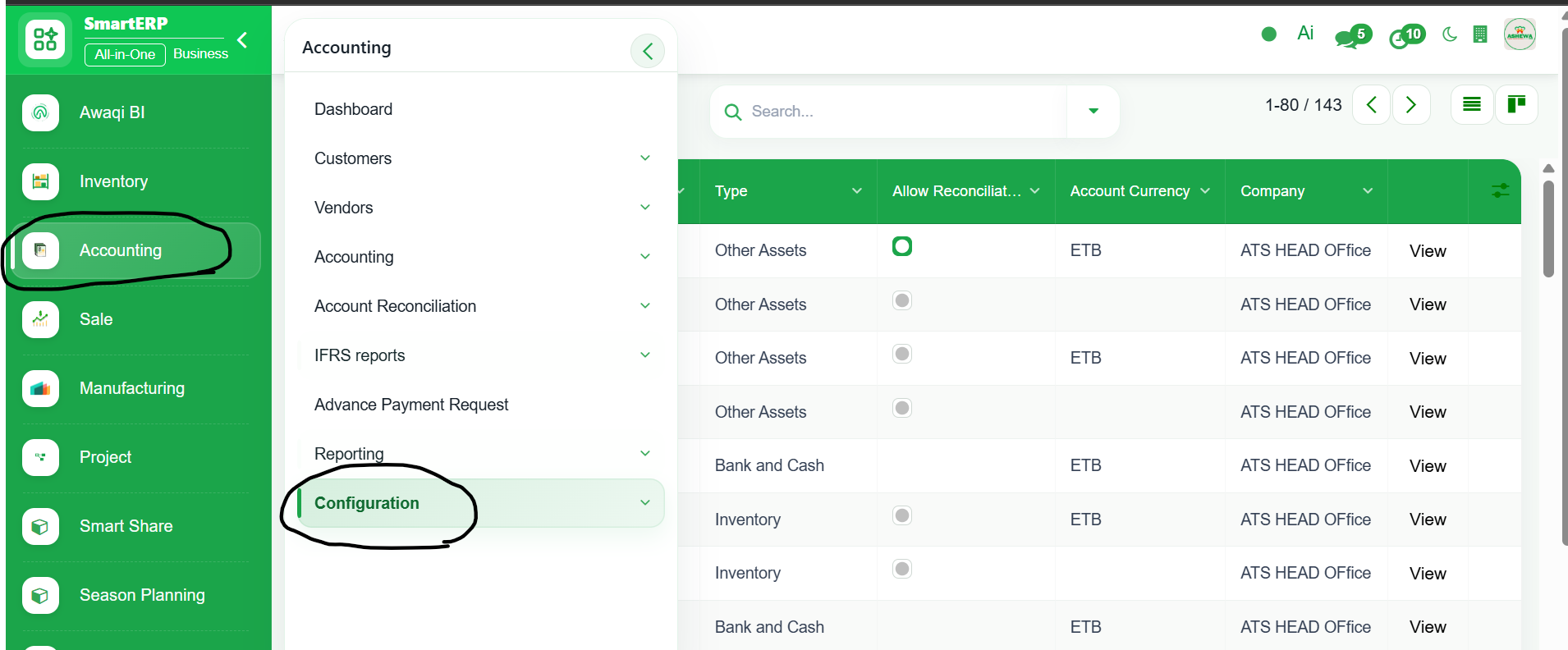
1. Go to Accounting
2. Click ‘Configuration’
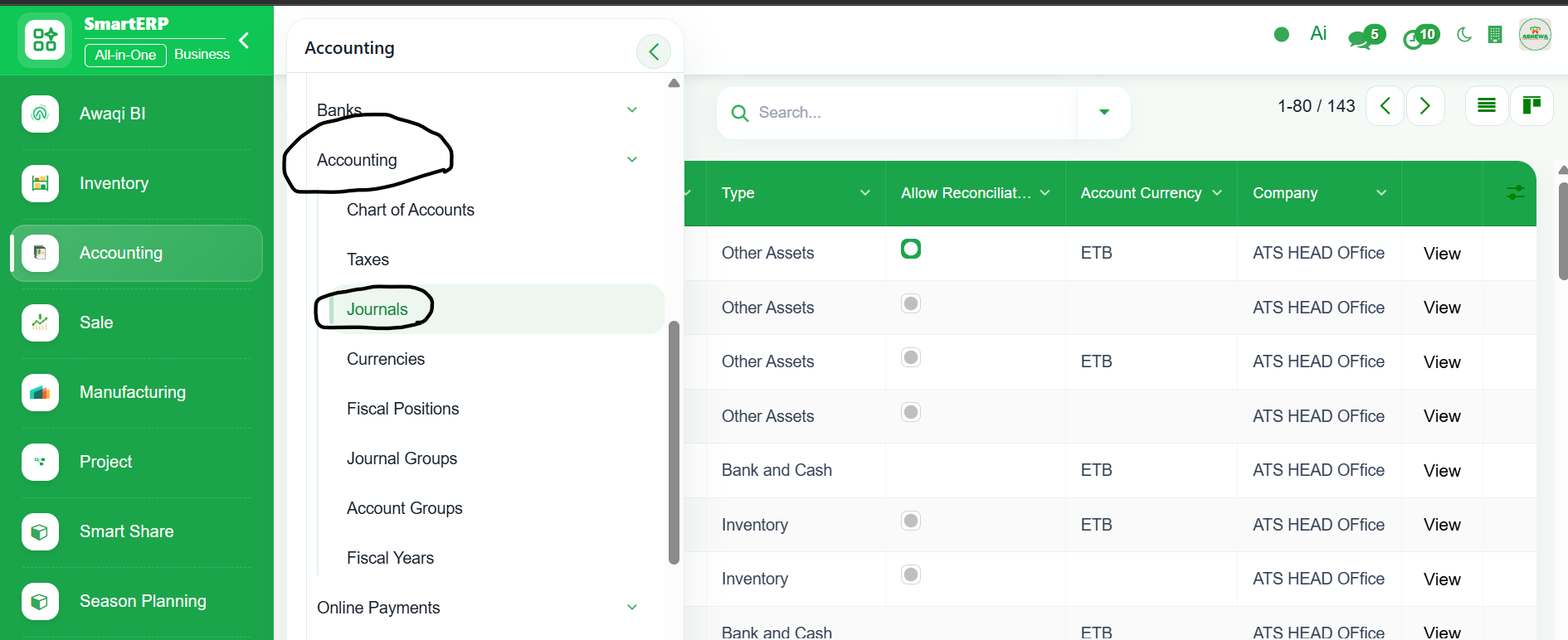
3. Select ‘Accounting’
4. Click ‘Journal’
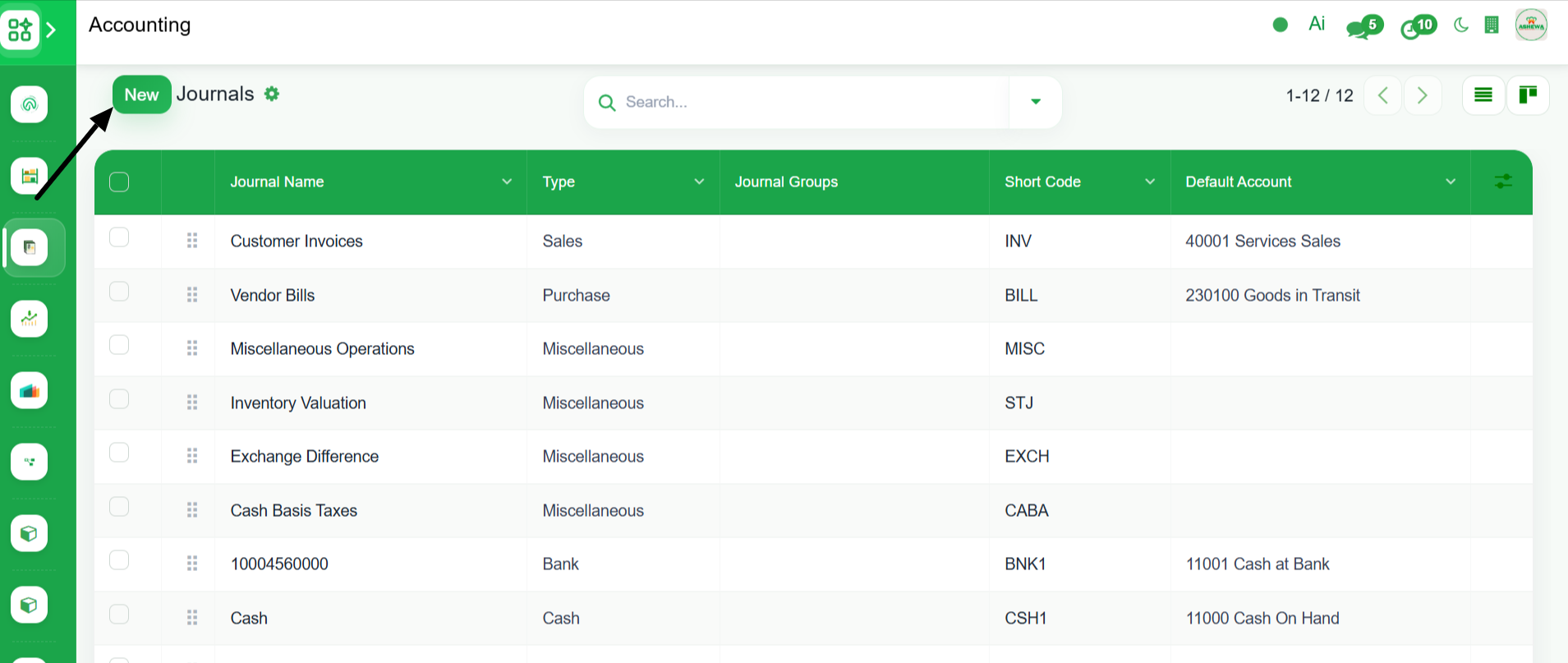
5.Click ‘New’
6. Enter Journal name, select Journal type, account number, bank account, suspense account and ‘Save’
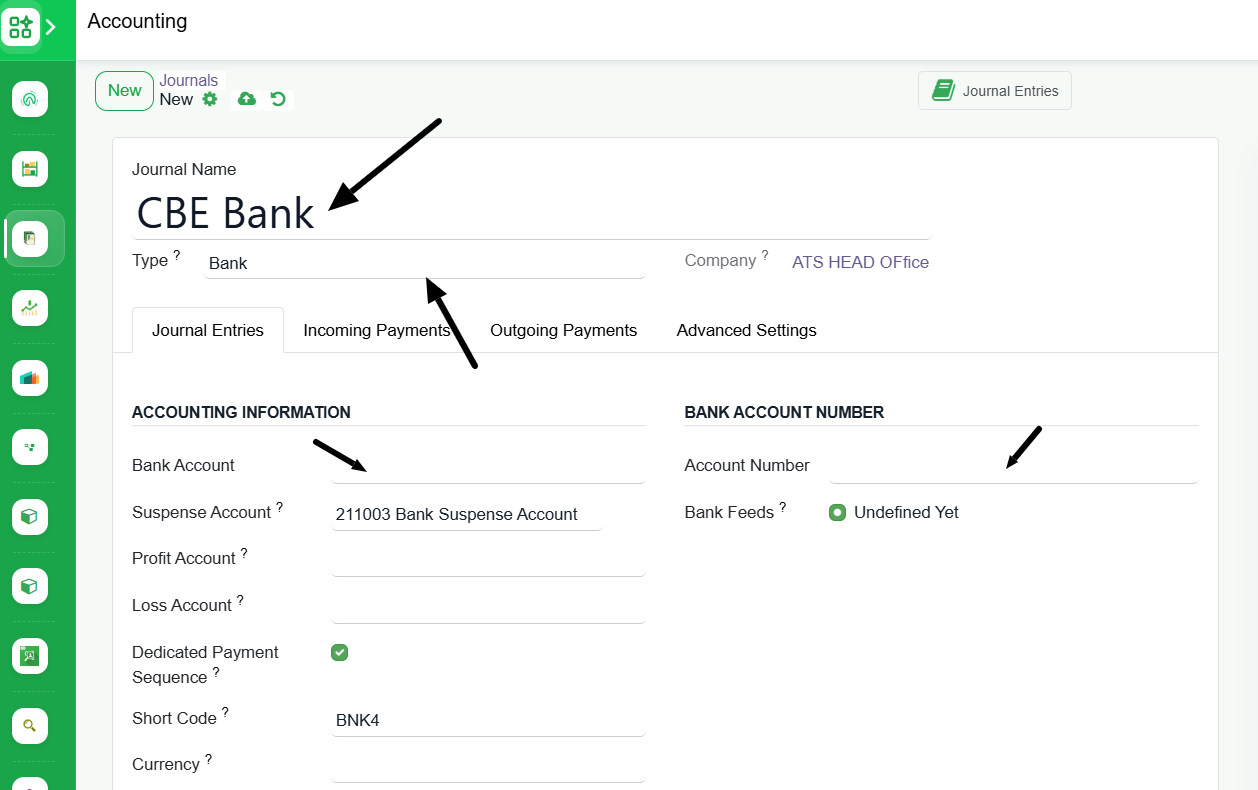
7. Under Incoming Payment tab select the same bank account under Outstanding Setting
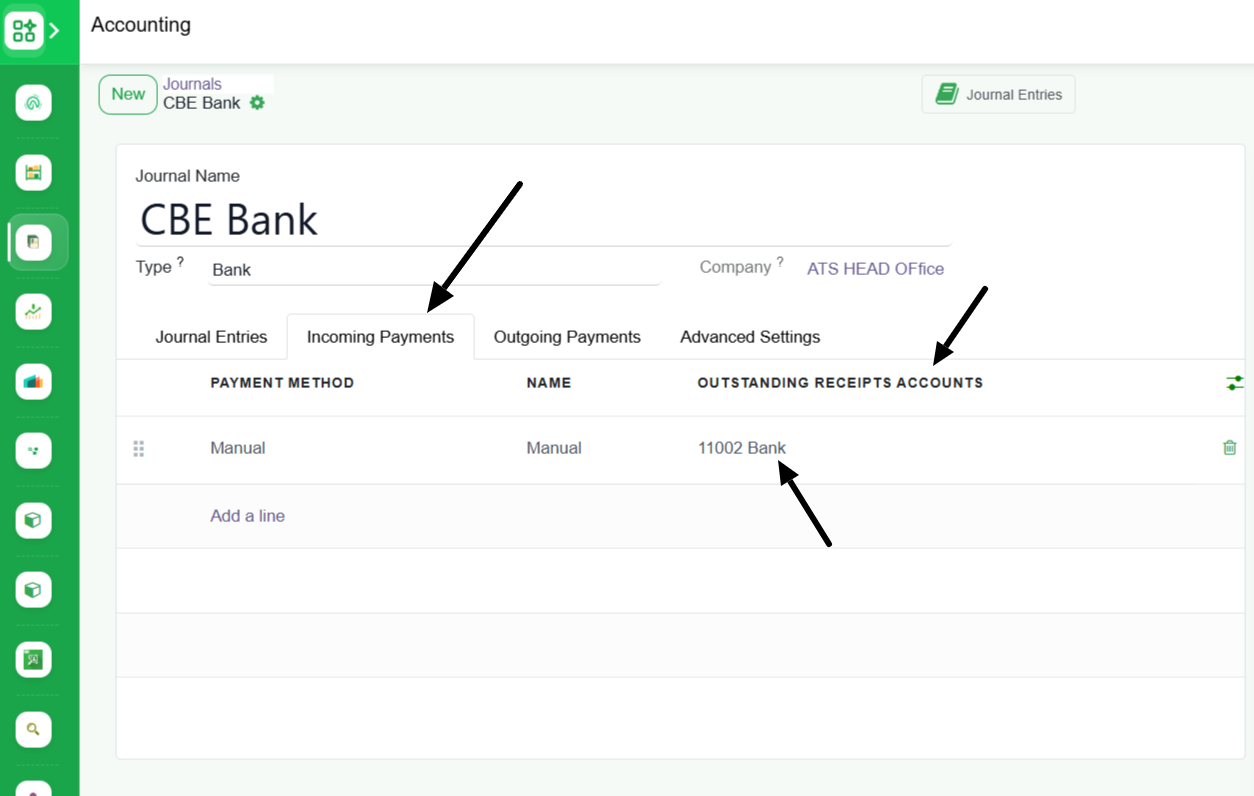
8. Under Outgoing Payment tab select the same bank account under Outstanding Setting and click "Save". New journal is created